Each exercise in the routine has its own sets table. That's where you decide what each set measures, how much weight it carries and at what effort it's done.
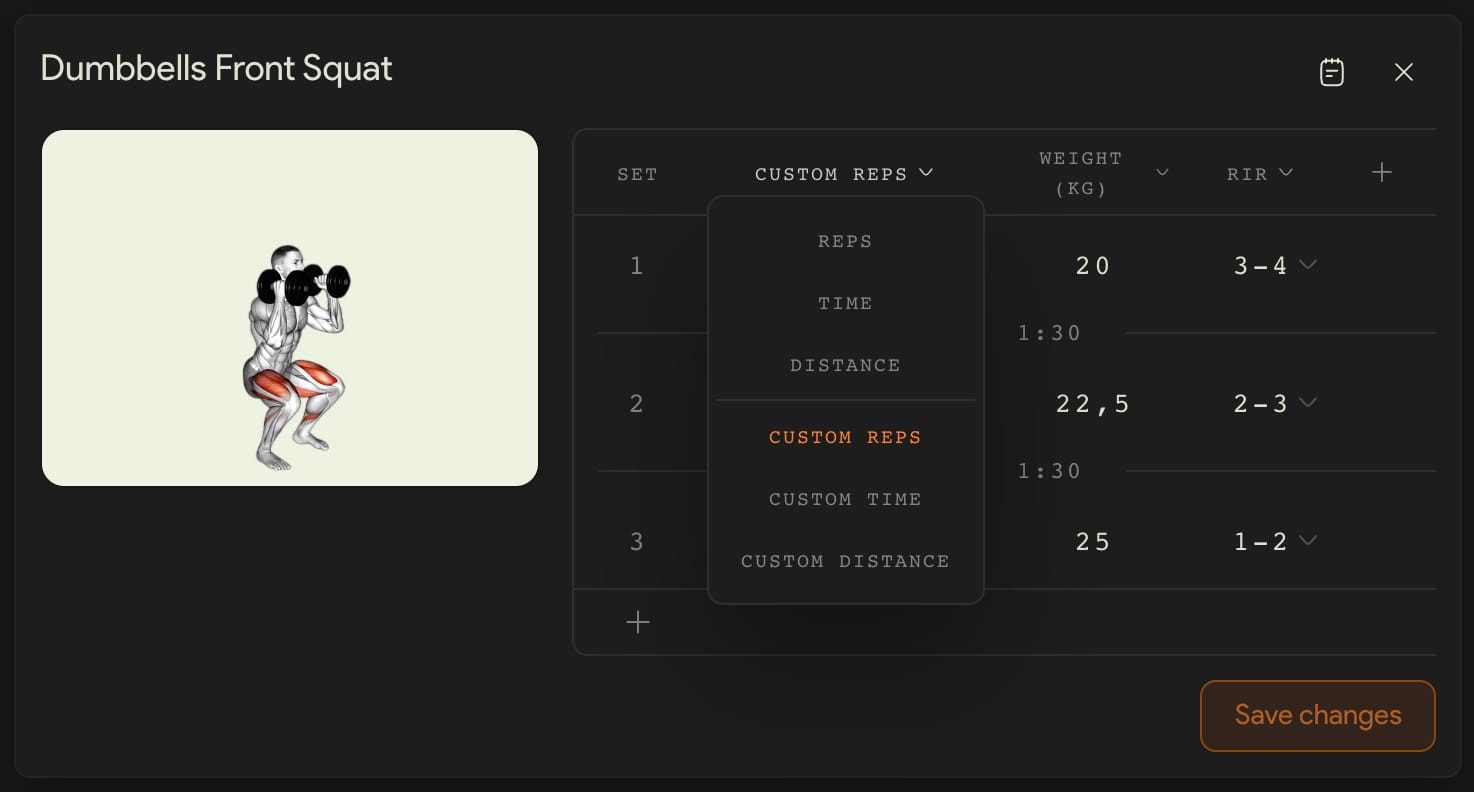
Reps, time or distance
You tap the header of the first column and choose what the exercise measures: reps, time or distance, in meters, kilometers, yards or miles. The change applies to that routine; the exercise in your library stays the same.
Rep ranges
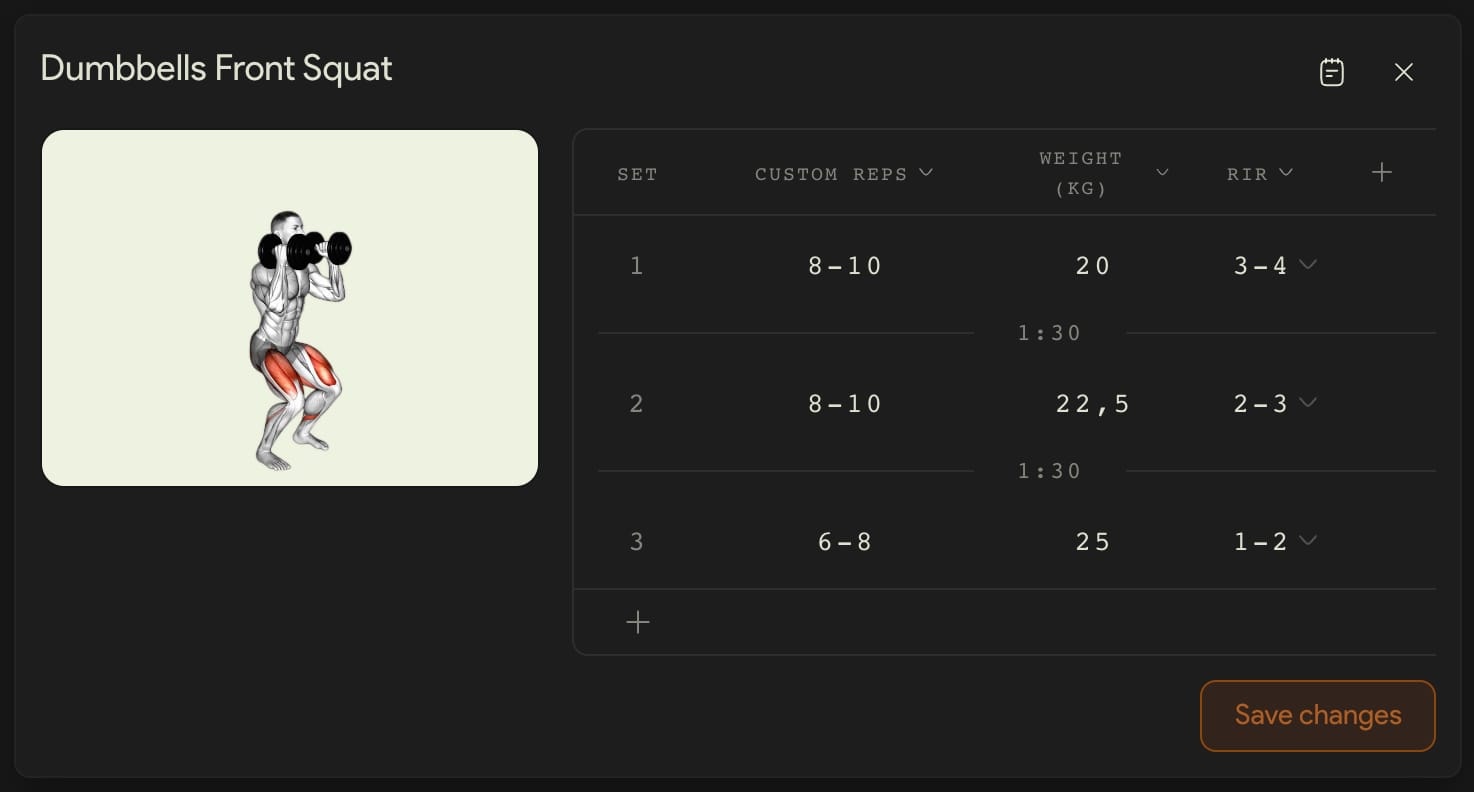
In the same menu, Custom reps lets you write each set's target as text: 8-10, 10-12, 10+, AMRAP or to failure, up to 15 characters. There's custom time and distance too, to write 30-40s or 1-5km. Your client sees it exactly like that in their app.
Fixed weight or % of 1RM
From the weight header you choose kilos or pounds, or add the % 1RM column: you type a percentage and Kaizer swaps it for the weight that matches their latest 1RM. If they haven't logged that exercise yet, you enter their 1RM right there, just once.
Effort, set by set
Effort goes per set, just like reps and weight: RIR 3-4 on the first and 1-2 on the last, for example. The app shows it to your client that way, in circuits and supersets too.
RIR or RPE, your call
In Account you pick the scale for new exercises, and on any exercise you switch it from the column header. Values convert on their own: RIR 2 is RPE 8.
The columns you need
With the table's + you add or remove Weight, RIR/RPE and Technique, which is where you build drop sets. Technique stays hidden until you add it.
Automatic progressive overload works with fixed reps. If you write a range, Kaizer leaves it alone and carries the weight your client used into the next weeks: the progression of that exercise is your call.
Each exercise in the routine has its own sets table. That's where you decide what each set measures, how much weight it carries and at what effort it's done.
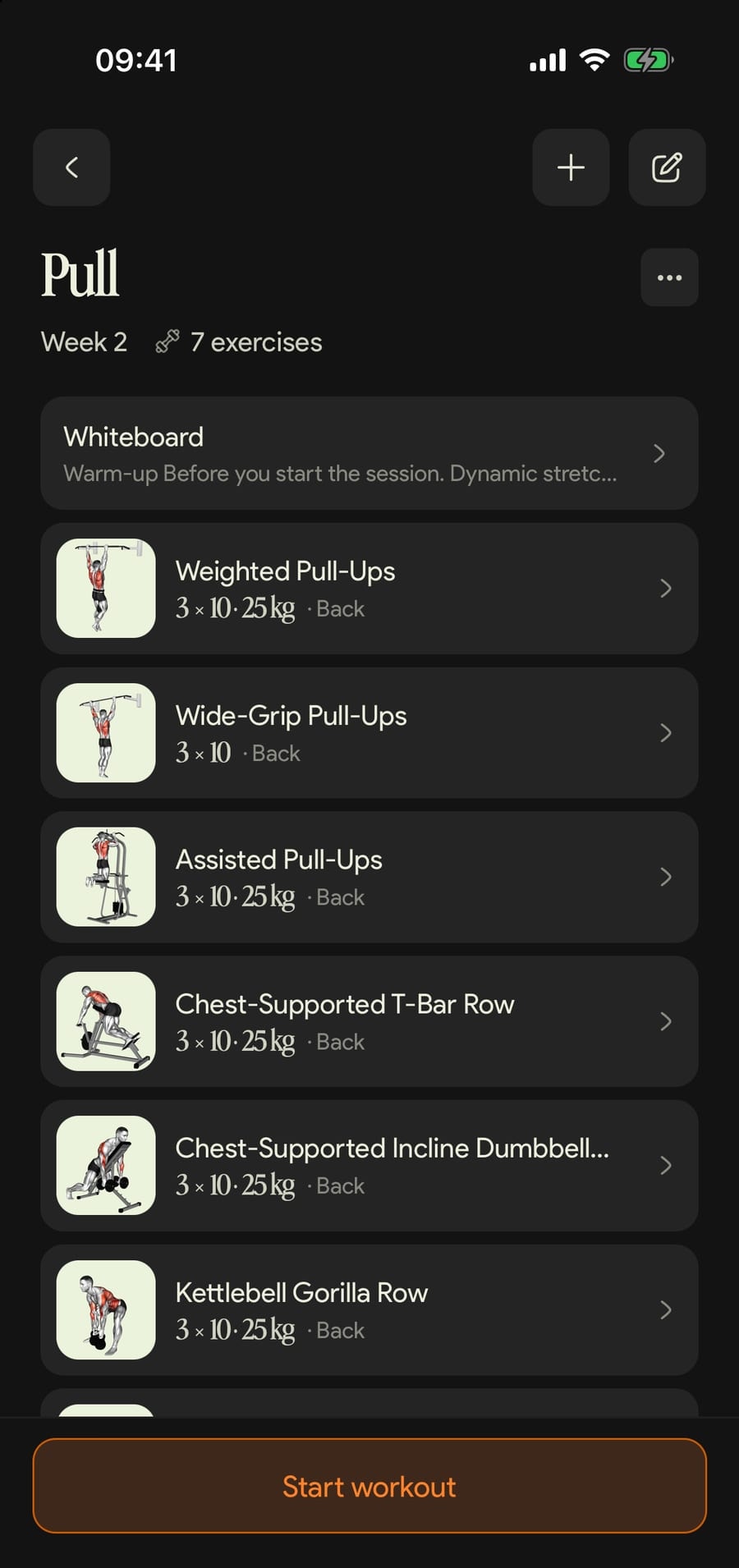
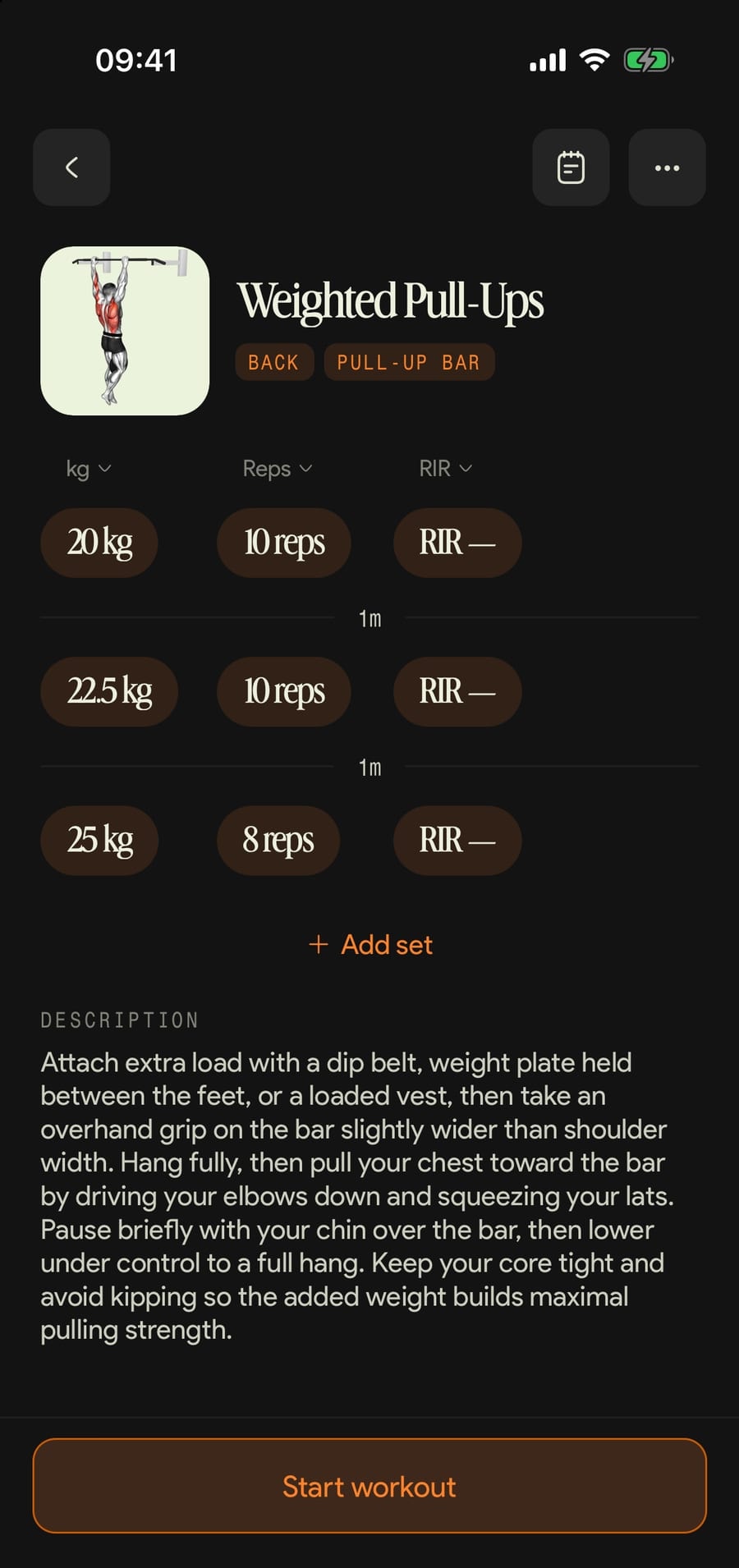
Reps, time or distance
You choose what the exercise measures: reps, time or distance. The change applies to that routine; the exercise in your library stays the same.
Written targets
With Target you write each set's goal as text: 8-10, 10+, AMRAP or to failure. Your client sees it exactly like that in their app.
Fixed weight or % of 1RM
On a set, Prescribe as % of 1RM swaps the weight for a percentage, and Kaizer works out the kilos from your client's latest 1RM.
RIR or RPE
Effort goes per set, just like reps and weight. You pick the scale for new exercises in More, Customization, Effort scale; the ones you already have keep theirs.
Drop sets
From the set, Add drop adds the weight drops you want.
Automatic progressive overload works with fixed reps. If you write a target like 8-10, Kaizer leaves it alone: the progression of that exercise is your call.