It's ChatGPT inside your work tool. It knows your clients, your routines and your numbers, and beyond answering, it acts, even messaging your clients in the chat when you ask it to.
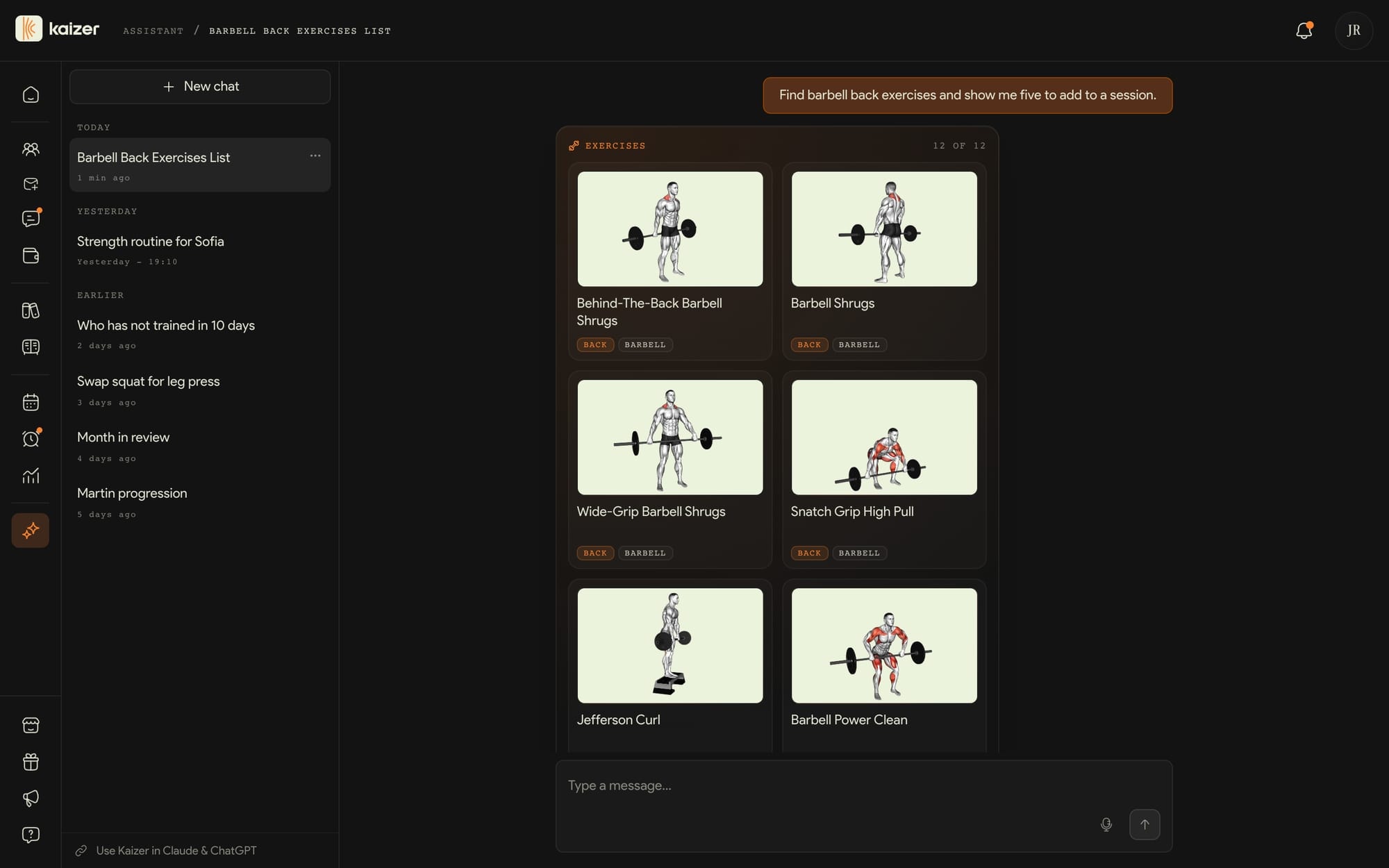
Ask it for results, not menus
You type or speak to it, and it operates the platform: builds a routine, swaps an exercise, checks expirations, summarizes someone's progress, logs a payment, an injury, a 1RM or a reminder, undoes a workout closed by mistake or sends a client a message on your behalf. While it works, it shows you what it's doing.
It builds the next routine
Ask for the next block, a few more weeks or a renewal. It starts from the client's current routine, with its exercises and loads, leaves it untouched, and drops the draft in the chat for you to open or send.
Hand it files
Attach images or PDFs, like a medical report, a photo or a previous plan, and it uses them to build the routine or to answer you.
Teach it how you program
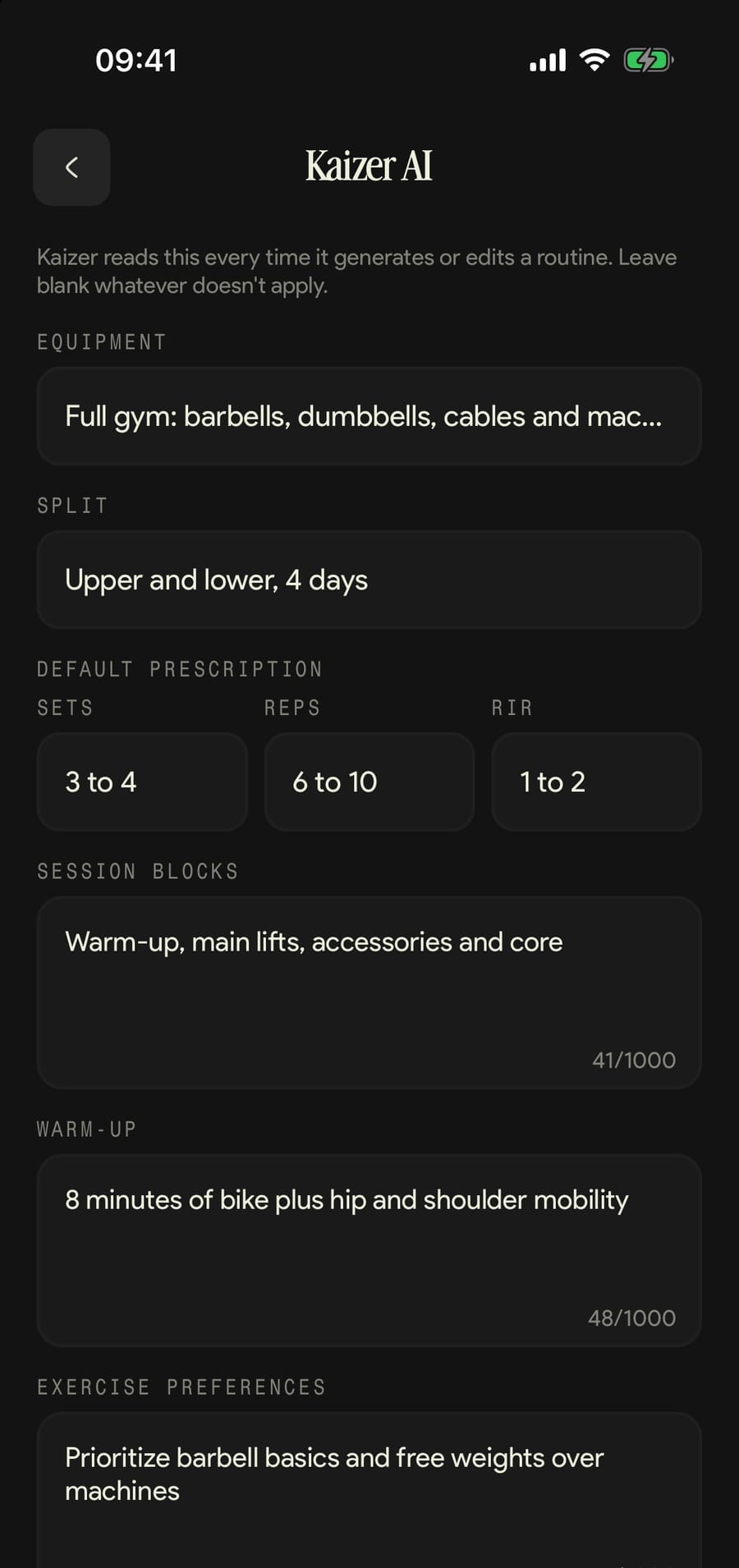
In the assistant settings you tell it your equipment, your split, your ranges of sets, reps and RIR and up to fifty favorite exercises. You fill it in once and it completely changes what it generates.
From Claude or ChatGPT too
With Use Kaizer in Claude & ChatGPT, on this same screen, you connect your account and ask them for the same things from there, a client's meal plan included.
Review what matters before taking it as done
It operates the platform; it doesn't replace your professional judgment.
Requests that work: "show me the clients with overdue payments", "summarize Paula's last four weeks", "draft a three-day strength routine for Martín", "what reminders do I have this week".
Common questions
What is Kaizer Assistant
Kaizer Assistant is your assistant inside the dashboard. It works like a chat: you type what you need and it responds with context about your operation.
Unlike Chat, which are real conversations with your clients, the assistant is just for you. Nothing you type there is seen by any client.
It's available on all plans, with a monthly usage limit based on your plan. If you reach the cap, it lets you know and it resets at the start of the next period.
What you can ask the Assistant
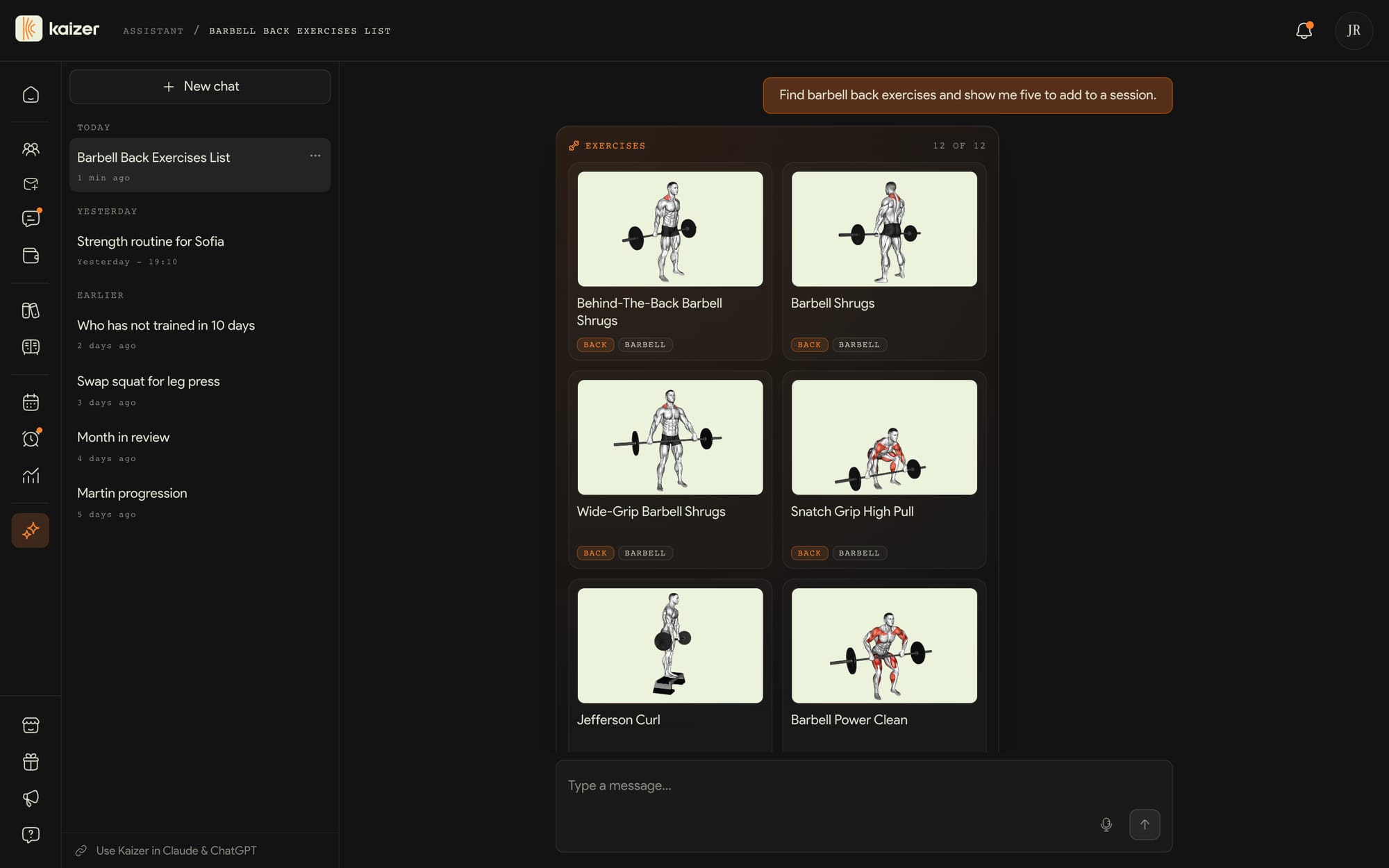
Describe the outcome you want and review what the assistant proposes or changes. The assistant does not just answer: it acts on your operation. You can ask it to build or edit a routine, swap one exercise for another, create a whiteboard or send a routine to a client. It also creates, updates, assigns and archives training plans, and drafts one with AI for you to review.
The more context you give it, the more useful the first draft will be. A complete request can look like this:
Example: "Create a 4-week draft for Lucía, 3 days per week, focused on strength with 60-minute sessions. Avoid overhead exercises and use a barbell, dumbbells and a cable machine. Leave it pending for me to review."
You do not need to learn commands: write as if you were talking to an assistant. Include the client, goal, available days, session length, equipment and any important constraints.
It handles the rest of your day too: each client's payments, their notes and injuries, the calendar and your reminders. Asking it to "create a reminder to call Sofía on Thursday" or "log Mateo's August payment" works just like doing it by hand.
And it helps you read your business: ask about a client's adherence, which sessions are still pending this week or how your analytics are trending.
The assistant does not send chat messages to your clients. Use Chat to talk to a person and the Assistant to ask the system to do a task.
Whatever it builds or changes shows up in the dashboard immediately for you to review. If you want its routines to look like yours, set your preferences in Settings → Kaizer Assistant (see Teaching the AI how you program).
Teaching the AI how you program
In Settings → Kaizer Assistant you tell the AI how you program, so what it generates looks like your work instead of a generic plan. You fill it in once and it applies to every routine it builds from then on.
The fields go from broad to fine. Equipment preferences (for example, "use machines before barbells and dumbbells") and Preferred split (for example, Push/Pull/Legs) set the structure. Sets, Reps and RIR pin down your usual ranges. Session blocks describes how you order a day (warm-up, main lift, accessories, finisher) and Default warm-up whatever always goes first.
Below that you have Exercise preferences for the rules that do not fit a single field, Favourite exercises to flag up to 50 movements you want to see show up, and Additional notes for everything else. Save preferences puts them to work.
This is different from Settings → Automations: this tab defines how your routines get built, the other one what happens on its own to the routines that already exist.
Kaizer Assistant vs. Chat with clients
They are two separate tools and each lives in its own place in the sidebar. Chat are real conversations with your clients: what you type is read by the other person.
Kaizer Assistant is an assistant just for you: you use it to ask questions, build things, and analyze data. Nothing you type to it reaches the client.
Rule of thumb: if you want to talk to a person, use Chat; if you want the system to help you think through or carry out a task, use the assistant.
Start a conversation (and talk to it by voice)
When you enter Kaizer Assistant without history, a welcome screen appears with a few suggestions to get started. Tap one or type what you need below. Enter sends the message and Shift+Enter adds a line break.
You can also talk to it: tap the microphone button, record (up to 60 seconds), and Kaizer transcribes what you said into text. That text stays in the field so you can review or edit it before sending.
Each conversation is saved automatically in the panel on the left so you can pick it up whenever you want.
Conversation history
The panel on the left lists all your conversations, from most recent to oldest. After your first message, Kaizer gives it a title on its own so you can find it easily.
Select any one to open it and pick up where you left off: the assistant keeps the context of that conversation.
From each conversation's menu you can rename or delete it. Keep in mind that deleting is permanent.
It's ChatGPT inside your work tool, in its own tab. It knows your clients, your routines and your numbers, and beyond answering, it acts. It even messages your clients in the chat when you ask it to.
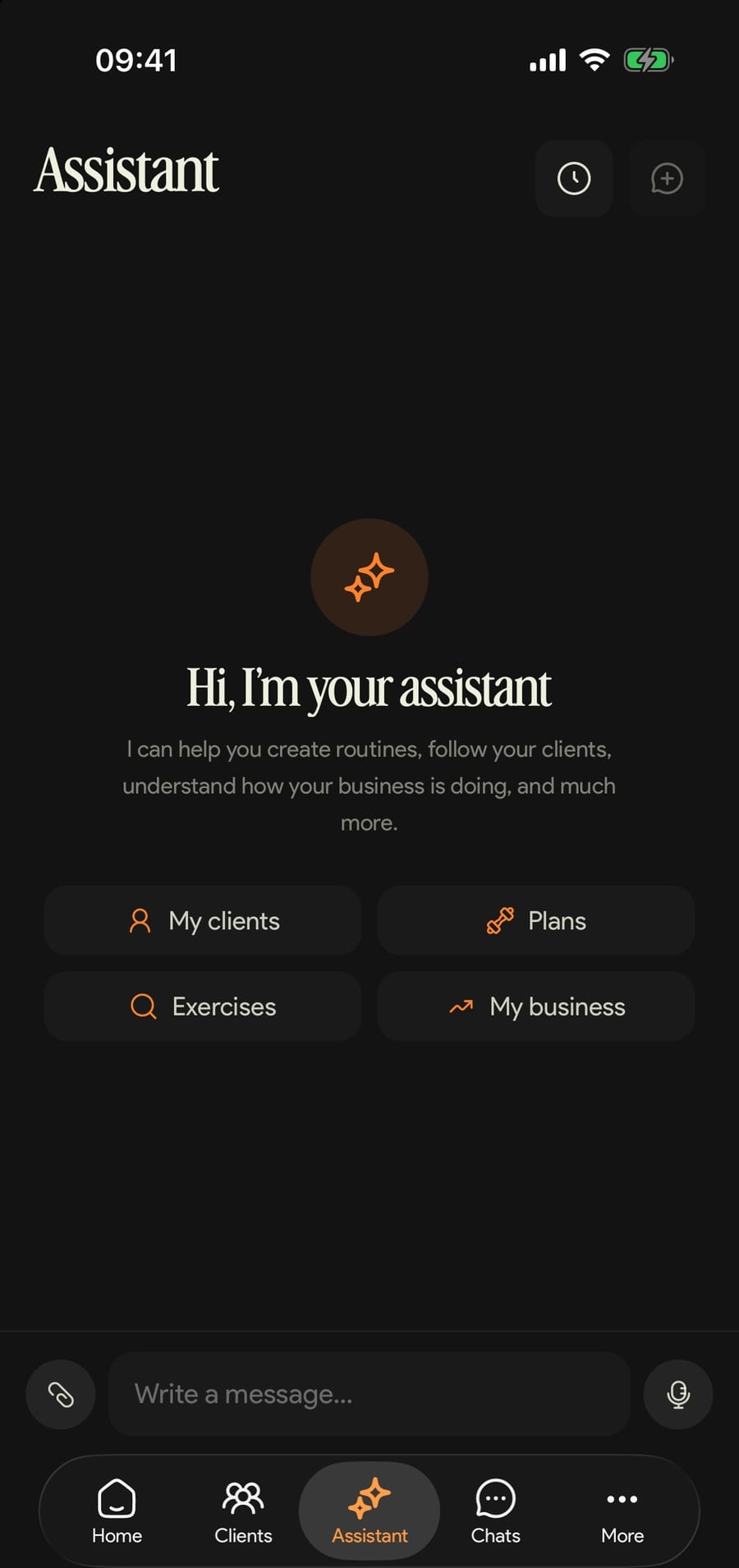
Ask it for results, not menus
You type or dictate to it, and it operates the platform: builds a routine, swaps an exercise, checks expirations, summarizes someone's progress, logs a payment, an injury, a 1RM or a reminder.
Dictate instead of typing
With the microphone you talk to it, check what it understood and send it. It's the fastest way when you're at the gym between one client and the next.
Hand it files
Attach photos or PDFs, like a medical report or a previous plan, and it uses them to build the routine or to answer you.
It builds the next routine
Ask for the next block, a few more weeks or a renewal. It starts from the client's current routine, with its exercises and loads, leaves it untouched, and leaves you the draft to open or send.
Teach it how you program
In the assistant settings you tell it your equipment, your split and your favorite exercises. You fill it in once and it completely changes what it generates.
Review what matters before taking it as done
It operates the platform; it doesn't replace your professional judgment.
Requests that work: "show me the clients with overdue payments", "summarize Paula's last four weeks", "draft a three-day strength routine for Martín", "what reminders do I have this week".