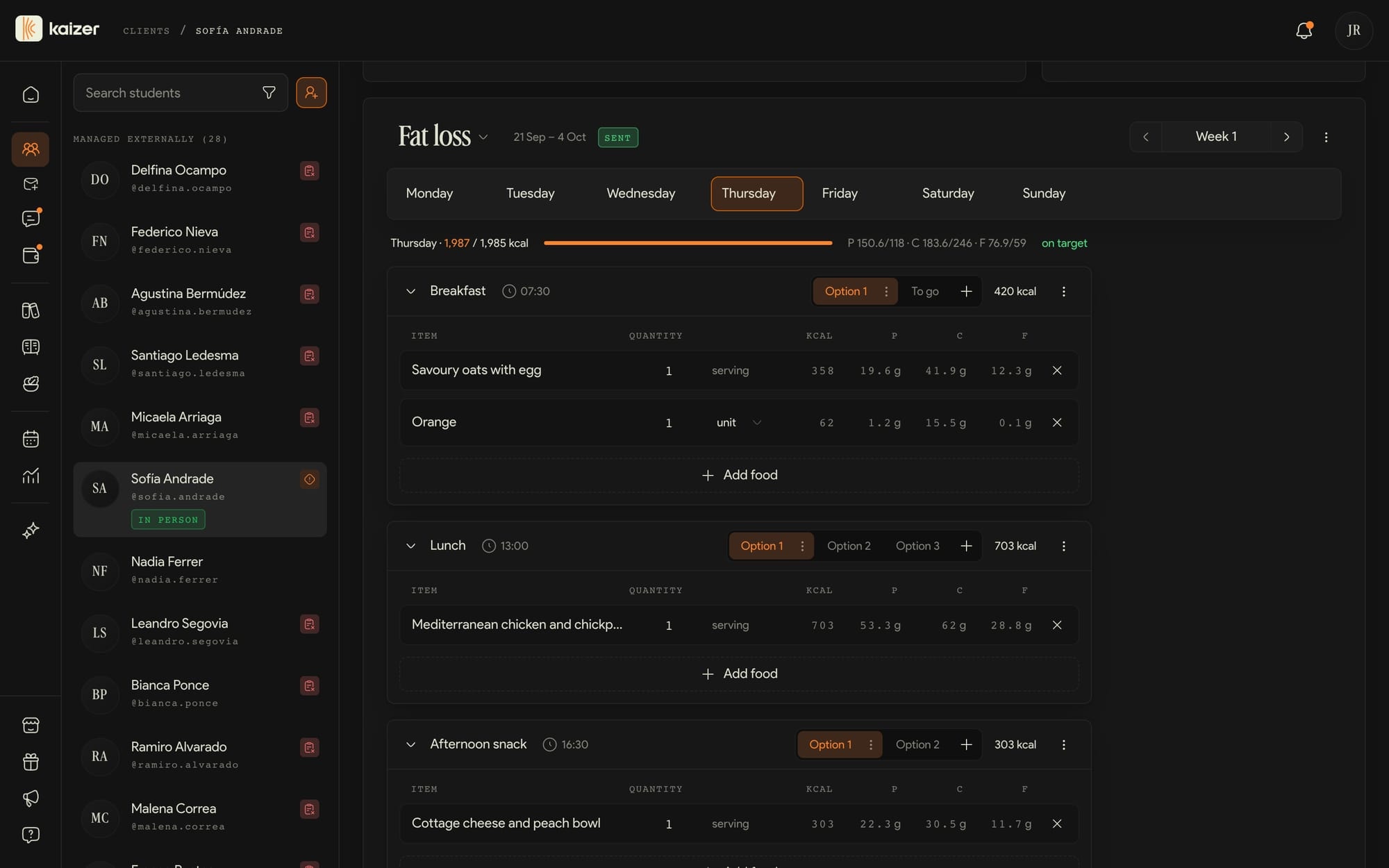
Below the profile is the plan: weeks, days and meals that you fill with recipes and ingredients from the catalogue. Each day is measured against the daily target.
Create the plan
Create plan asks for the name, how many weeks it lasts, when it starts and which meals each day has: breakfast, mid-morning, lunch, afternoon snack, dinner or snack. In Manual, every day starts with those meals empty and with the profile's target. To add another plan for the client, use the plan's three-dot menu.
Or ask the AI for it
If you choose With AI, Kaizer builds the whole plan from the daily target and your catalogue. You set the weeks, the meals, how many options each one has and what it should keep in mind, watch it come together and review it before sending it. Afterwards you ask for changes with Edit with AI, like "swap the salmon for chicken".
Add foods
In each meal, Add food opens the search with your recipes and ingredients, the categories and what's popular on Kaizer. You pick several at once and then adjust the quantity and unit of each. If something isn't there, you create it right there. The ⓘ next to each food shows its calories and macros, and for a recipe its ingredients and steps.
Options to choose from
Each meal can have up to six options, and your client picks the one they prefer. The day's totals are worked out from the first one, so that's where the one you expect them to eat goes.
One week or all of them
When you add a meal, an option or a food, you choose whether it goes on that day only or on the same day of every week.
The day against the target
Above the meals you see the day's total against the target, the calories with their bar and the three macros, and how far over or under you are. If you change the profile's target later, Apply profile target brings it into the plan.
Send
Send delivers it to your client, who gets a notification on their phone. Any changes you make afterwards show up in their app. From the plan's menu you change its weeks, archive it or delete it.
You can do all of this from Kaizer Coach, the trainer app, too.
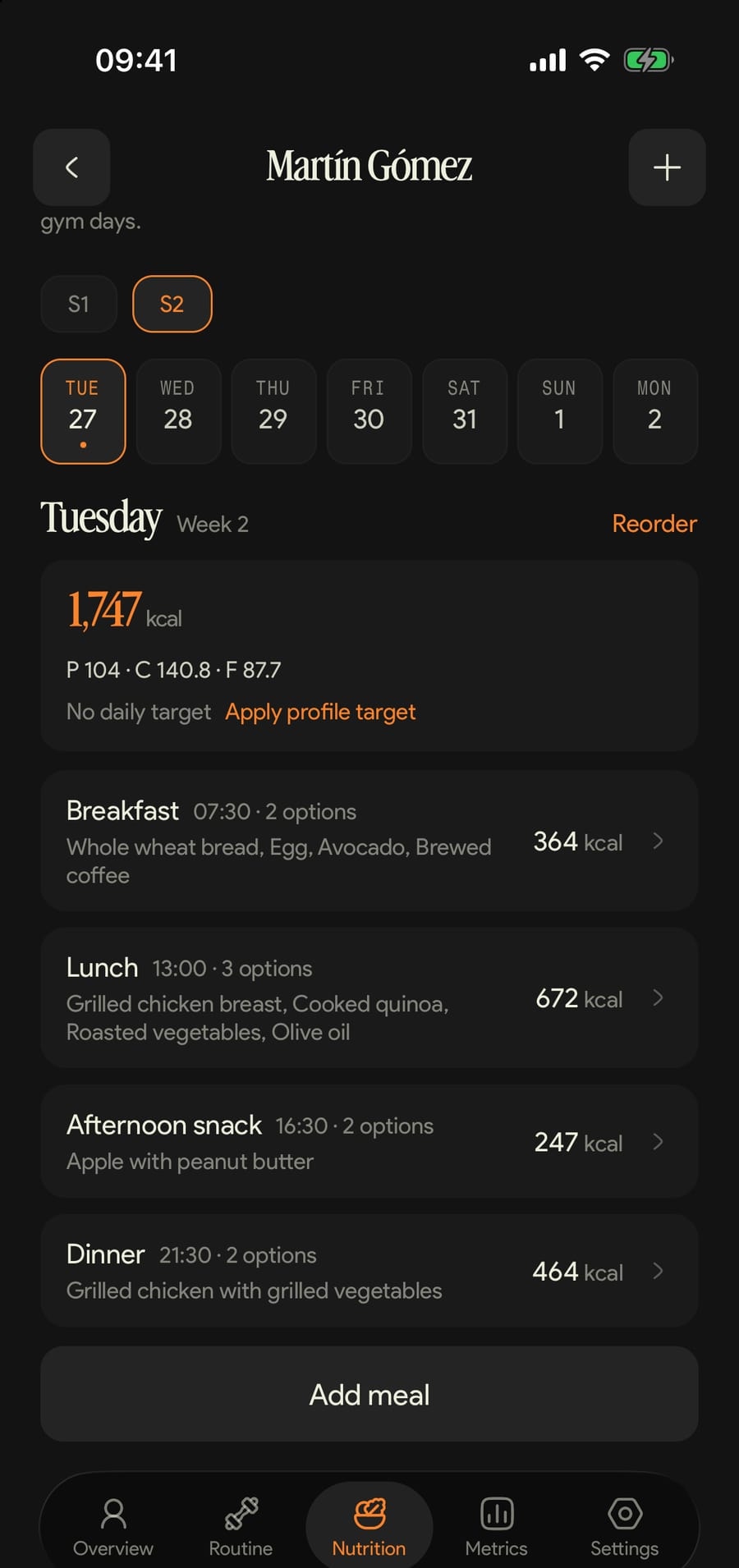
Below the profile is the plan: the days and meals you fill with recipes and ingredients from your catalogue.
Create the plan
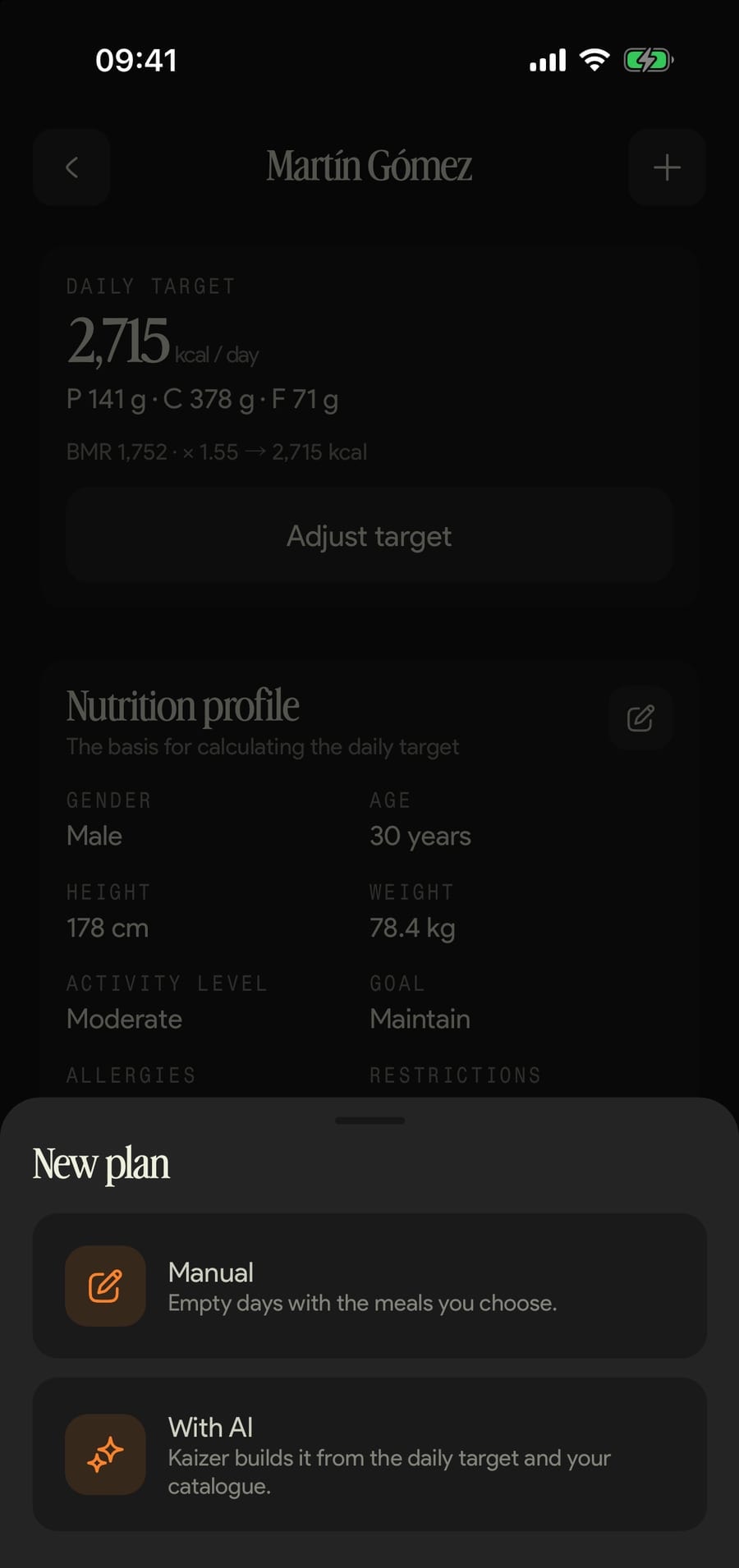
New plan lets you choose Manual, with empty days and the meals you pick, or With AI, and Kaizer builds it from the daily target and your catalogue.
Add food
In each meal, Add food opens your recipes and ingredients. You pick the ones that go in and adjust the quantity of each.
Changes with AI
On the plan that's built you ask Kaizer for changes by text or voice, like "swap the salmon for chicken", and the rest stays as it was.
Send
When it's ready you send it, and they see it in the Nutrition tab of their app.