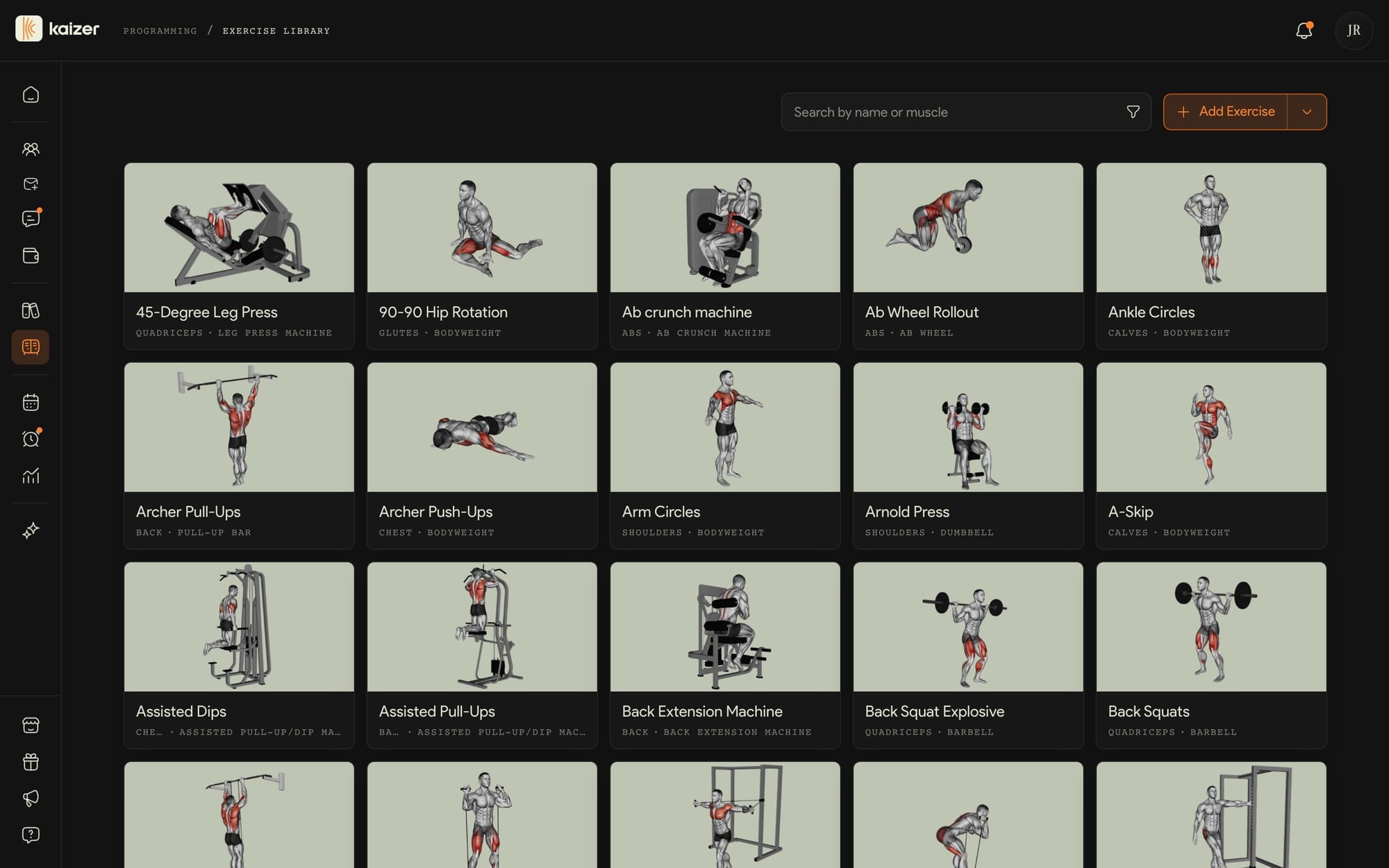
Kaizer comes with more than 1,500 exercises with an illustration, the muscle worked and the equipment. On top of that base you add your own.
Create your own
Name, muscles, equipment, instructions and a demo video your client sees inside their routine. If you upload the video, in Video and image you pick the image that goes with it; if you don't pick one, Kaizer takes one from the video.
Or start from a Kaizer one
Editing it creates your customized version, with your name, your video and your notes, which replaces the original only for you. The ones you don't use, you hide from your library.
Organize with tags
Create your own by goal, phase or equipment, add them to several exercises at once by selecting them, then filter the library by them.
Common questions
Search and filter exercises
The Exercise library has a search that tolerates typos and accents, so you don't have to type the exact name.
You can also filter by muscle group, by equipment, and by origin (Kaizer's base exercises or your own). The filters combine with each other, and you have an alphabetical A-Z or Z-A sort.
Your custom exercises appear separately from Kaizer's base library so you can find them quickly.
Create your own exercise
From the Library you create a new exercise with its name, the muscles it works, the equipment and a description of up to 3000 characters, enough to explain the technique end to end. You also tick useful options, such as whether it carries weight, whether it carries reps, or whether it is done per side.
Once saved it is available for any routine, and it shows up among similar exercises from the very first moment when you look for a variation.
You can also start from one of Kaizer's base exercises and edit it: that creates your customised version, which replaces the original for you only. Other trainers keep seeing the factory version.
Upload video and image
From an exercise's detail, in the "Video and image" card, you can upload a demo video or paste a YouTube link.
Kaizer accepts mp4, webm, and mov (.mov files are converted automatically), up to 10 MB per file. If your video is larger, compress it before uploading.
The image is optional: if you don't choose one, we use an image from the video. When you upload the video as a file, you can pick your own with "Choose image" (JPG, PNG, or WebP). YouTube links use the video's own image. You can also choose the image when you create the exercise.
If you replace the video and don't choose a new image, the image is taken again from the new video.
Your clients see that video in the app when they open the exercise within their routine. If the video gets stuck while uploading, see The video won't upload.
Organize your library with tags
Tags are labels you create to sort the Exercise library your way: by block, by phase, by client type, by whatever you actually think in. You add them from the Tags field when you edit an exercise, or from the Tags chip in the quick create dialog; both have a Create new tag row where you give it a name and pick a color. They're yours, and nobody else's library is affected.
You can tag any exercise, including Kaizer's base ones. Tagging doesn't fork your own copy of a base exercise: it stays the same exercise with your label on it. Each exercise holds up to 20 tags. Names and colors are fixed once created: to change either, delete the tag (it disappears from every exercise that had it) and make a new one.
To use them, open the filter next to the search box. The Tags section lists all of yours as checkboxes; picking several matches any of them, and it combines with the muscle, equipment, origin, and difficulty filters. The ones you pick show up as chips you can drop one by one. There's also Group by → Tag, which lays the library out in one section per tag, with Untagged at the end.
How it suggests exercises
While you build a session, Kaizer looks at the sequence of exercises you've already added and suggests which one could come next. It's a help to speed things up, not a requirement: take it or ignore it.
Also, when you want to vary an exercise, it proposes similar alternatives based on the movement pattern and the muscles it works.
These are suggestions designed to speed up programming; the final word is always yours.
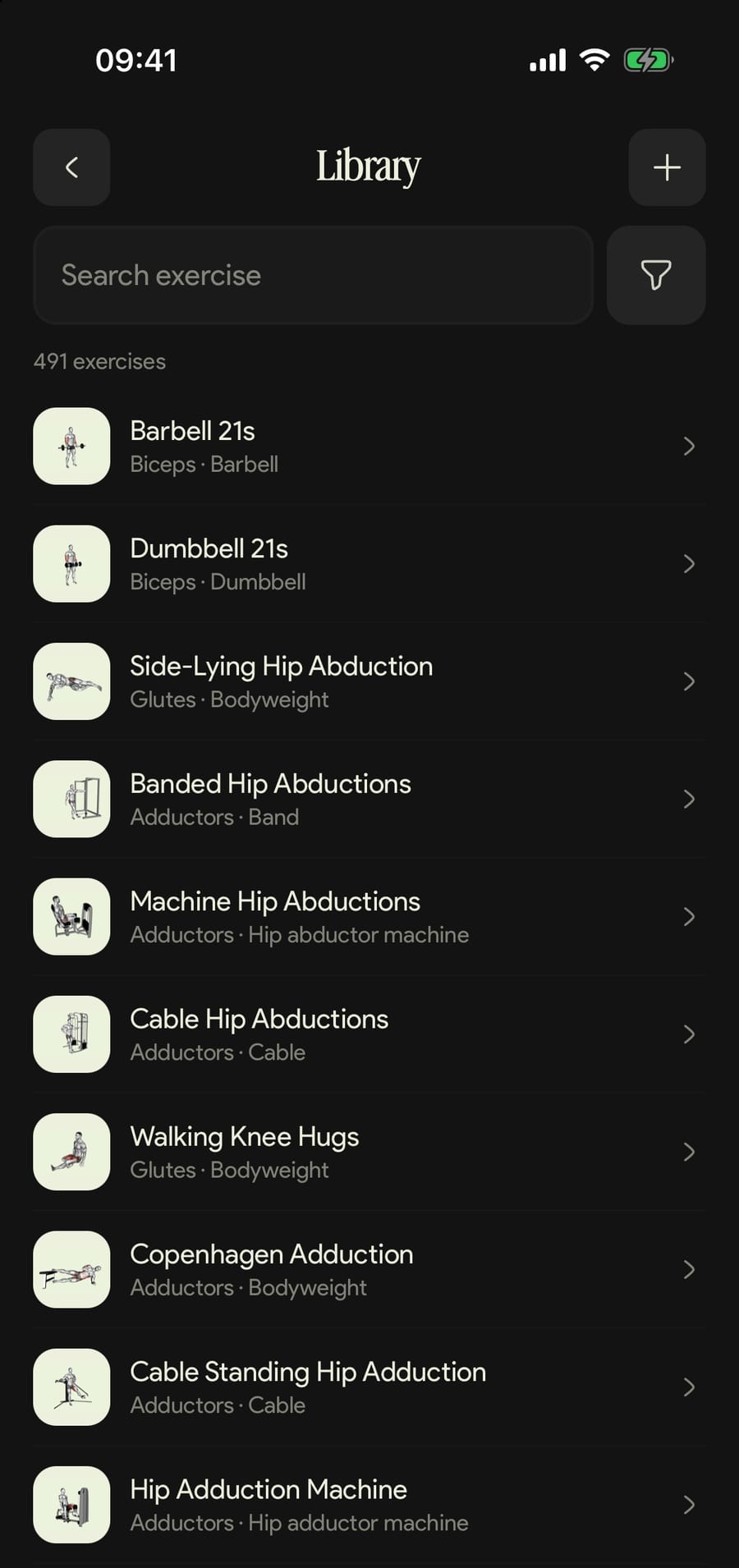
Kaizer comes with more than 1,500 exercises with an illustration, the muscle worked and the equipment. They're in More, Exercise library, and on top of that base you add your own.
Create your own
Name, muscles, equipment, instructions and a video your client sees inside their routine: a YouTube link or a video from your gallery up to 10 MB.
Find the one you need
By name, muscle, equipment or tag, and also from the search on Home.