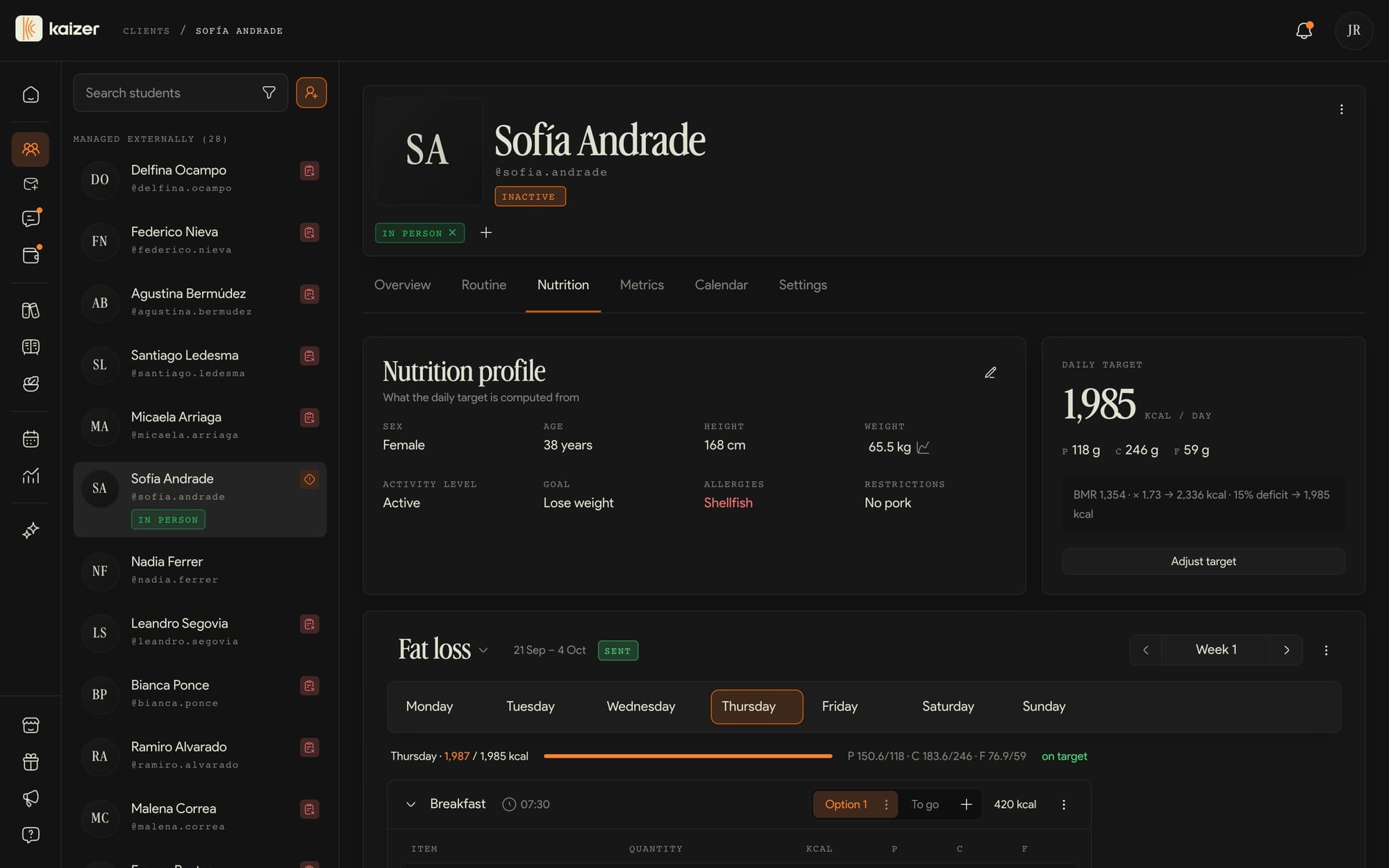
Each client has a Nutrition tab in their profile. At the top is their nutrition profile and, next to it, the daily calorie and macro target Kaizer works out from that data.
Fill in their profile
Sex, age, height and weight come from their details in the Overview tab; if one is missing, the card tells you and you complete it from there. With the profile's pencil you set their activity level, their goal (lose weight, maintain or gain weight), their allergies and their restrictions.
The target works itself out
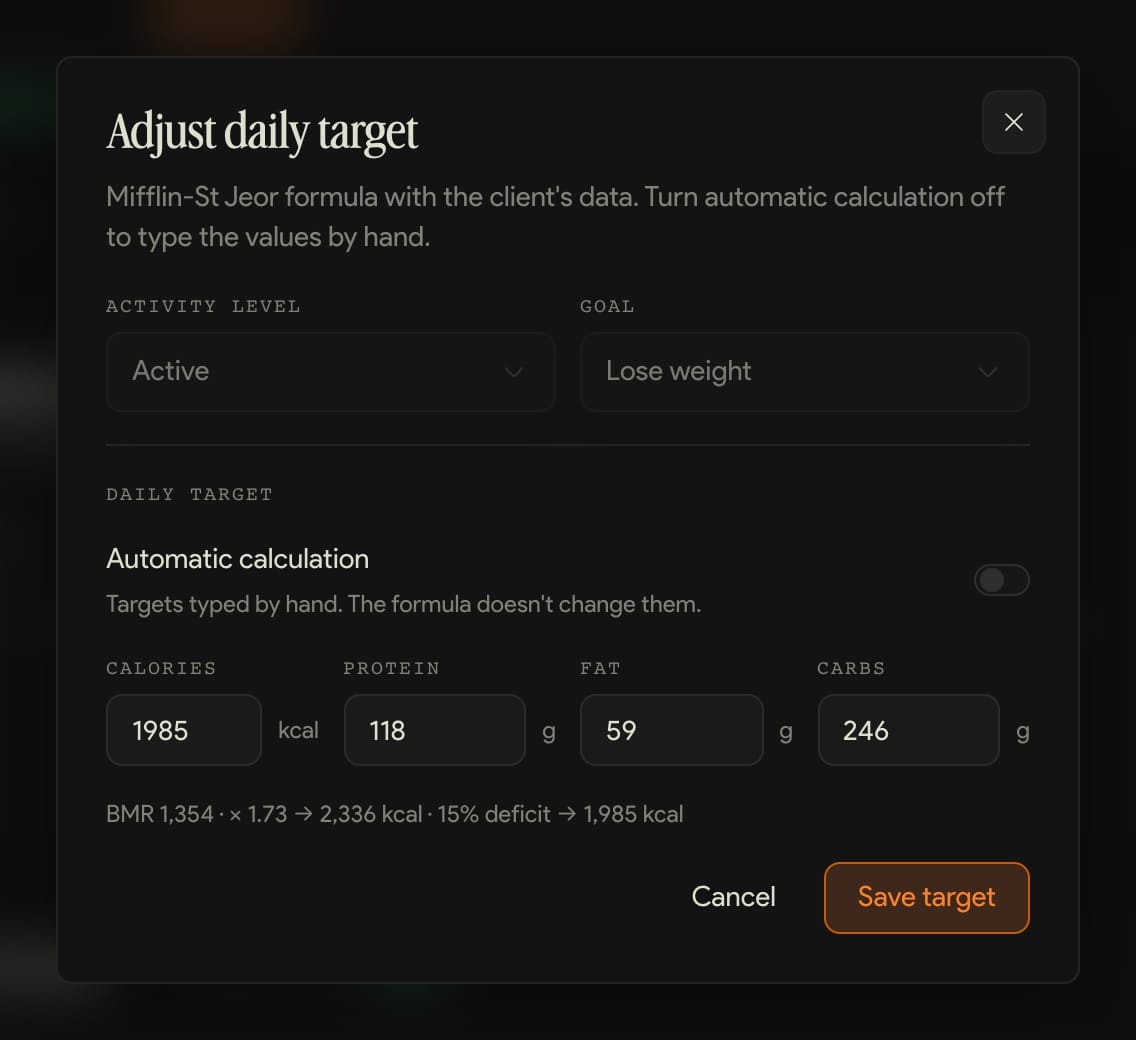
Kaizer uses the Mifflin-St Jeor formula: it takes 15% off to lose weight and adds 10% to gain, and sets 1.8 g of protein and 0.9 g of fat per kilo of body weight; the rest is carbs. The card shows you the full calculation.
Set the macros by hand
With Adjust target you change the activity and the goal, or you turn off automatic calculation and type the calories, protein, fat and carbs you want. From then on the formula stops touching them. The one thing you can't do is go below 1,200 kcal.
Decide whether they see the numbers
With Show macros to the client turned off, your client sees the foods and the quantities, without calories or macros.
Allergies and restrictions are a reference for you when building the plan: Kaizer doesn't filter foods on its own.
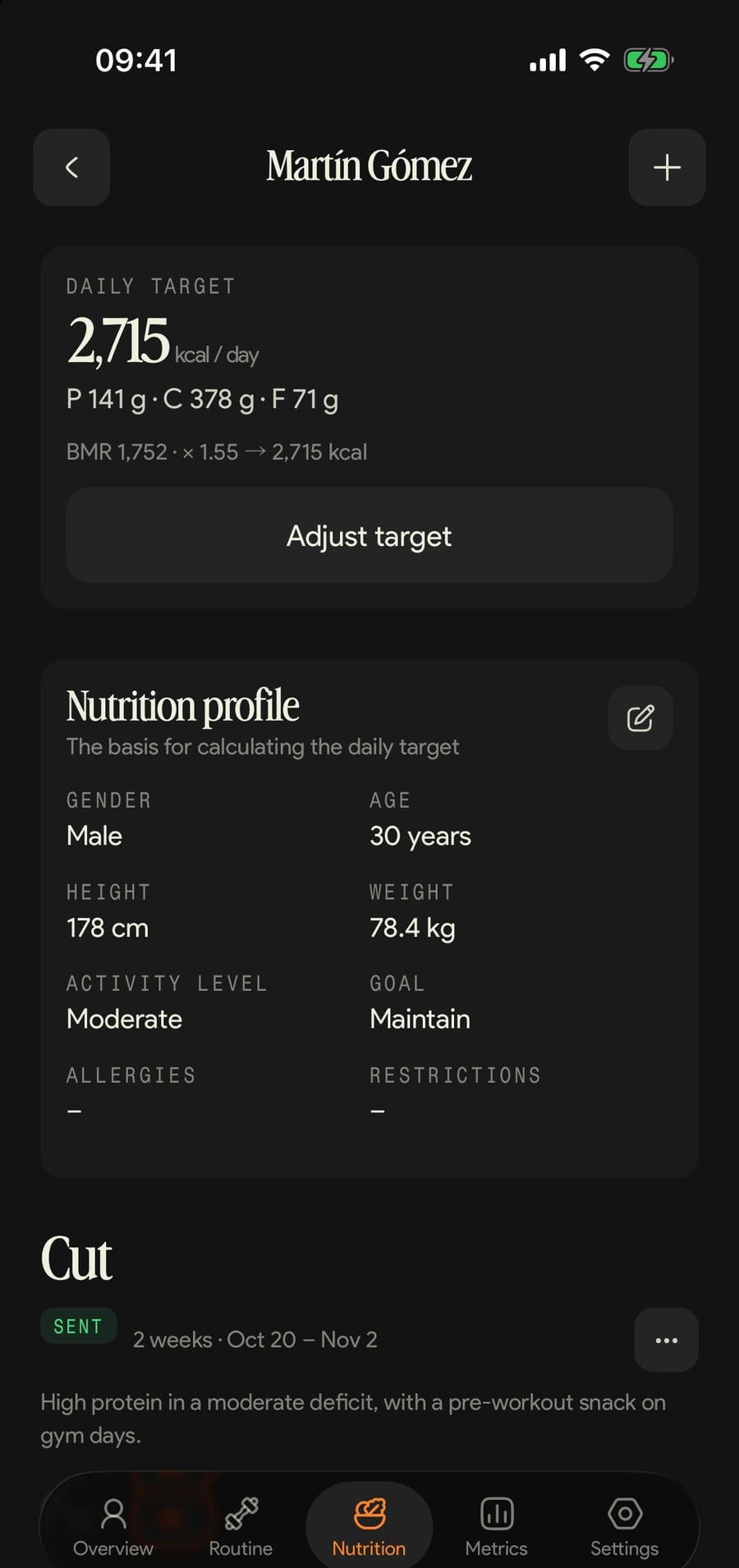
Each client has a Nutrition tab in their profile. At the top is their nutrition profile and the daily calorie and macro target Kaizer works out from that data.
Fill in their profile
Their activity level, their goal, their allergies and their restrictions. With that and the details in their profile, Kaizer works out what they need per day.
Adjust the target
With Adjust daily target you change the calories and macros by hand, if the calculation isn't what you want for them.
Decide whether they see the numbers
With Show macros to the client off, your client sees the foods and quantities, without calories or macros.
Allergies and restrictions are a reference for you when you build the plan: Kaizer doesn't filter foods on its own.